Inkit - AI Tattoo Generator
YawaiArt & Design
4.054.00 Reviews
- Version
- 1.1.3
- Installs
- 50.00K
- Age Rating
- Teen
Screenshots
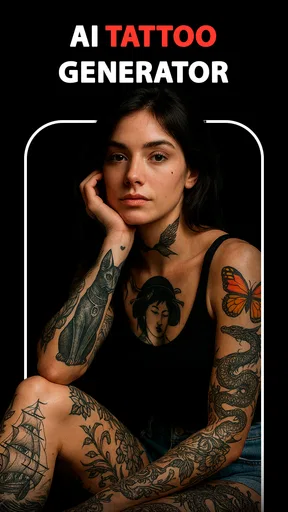
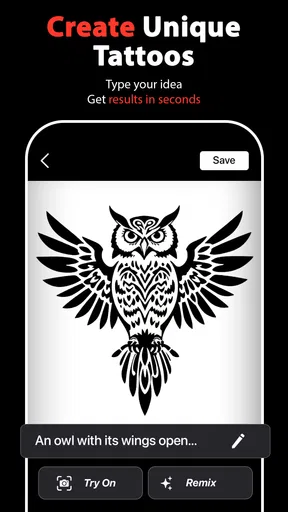
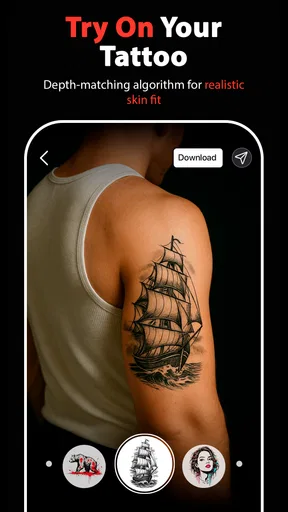
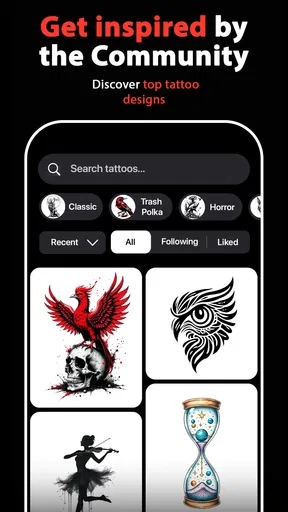
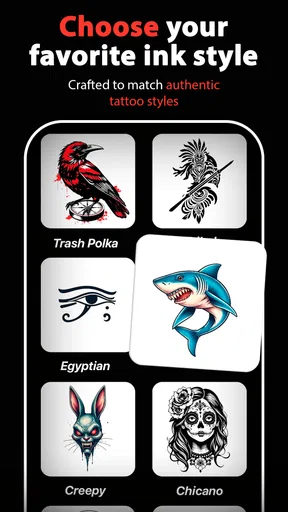
Our Review of Inkit - AI Tattoo Generator
 Analysis by Appyee
Choosing a tattoo idea is very different from choosing a wallpaper or a profile picture. The design has to work on a real body, suit the person wearing it, and remain understandable when it is reduced to ink. I tried Inkit - AI Tattoo Generator with that decision in mind, rather than treating it as a simple image-making toy. It is a free Art & Design app from Yawai that uses AI to help turn a rough concept into tattoo design ideas.
My overall impression is that Inkit is most useful during the early stage, when you know the feeling, subject, or symbol you want but cannot yet picture a convincing design. It can give you directions to discuss with a tattoo artist. It is less convincing as a complete replacement for a professional drawing process, because an attractive generated image is not automatically a practical tattoo stencil.
The app is aimed at teenagers and older users, with a Teen content rating, and it runs on Android devices using version 7.1 or later. Its current version is 1.1.3, and the app has passed the early discovery stage with over 50 thousand installs. That is enough to suggest that people are actively testing it, while its 4.0 average from around 673 ratings feels more like a useful but imperfect creative tool than a universally polished design studio.
How I judged Inkit before trusting a design
Before trusting any generated tattoo concept, I separate visual inspiration from decisions that need a human eye. I look at whether the main shape reads clearly, whether the idea still makes sense without decorative detail, and what would need explaining to an artist. That approach also helps me judge whether the app is useful beyond the excitement of seeing a fresh image appear.
The first question is not “does it look cool?”
When I evaluate an AI tattoo app, I look at four things: how clearly it turns an idea into an image, how easy it is to compare different directions, whether the result could be adapted by an artist, and how much effort is needed to get something usable. Inkit performs best on the first two points. It helps me move from a vague thought such as a protective animal, a botanical symbol, or a personal reminder toward several visual possibilities.
That distinction matters. AI image generation often produces designs that look impressive on a screen but contain tiny details, awkward anatomy, overly thin lines, or decorative clutter. A tattoo needs a stronger visual structure. It must make sense at the intended size and from a normal viewing distance. I therefore treated each generated result as a conversation starter, not as a finished instruction sheet.
My practical workflow with the app
I found the most sensible workflow was to begin with the subject, mood, and broad style instead of writing a long poetic prompt. For example, I would think in terms of a raven, a restrained black design, a circular composition, and a calm rather than aggressive mood. This gives the generator a clearer job. Once I had a direction, I compared variations and paid attention to the silhouette before getting distracted by small decorative elements.
A useful habit is to save or note the parts that work rather than falling in love with one complete image. One version may have the best pose, another the strongest framing, and a third the most appropriate balance between empty and filled areas. The real design process begins when those observations are turned into a brief for a tattoo artist.
The strongest use of Inkit is visual exploration, not final tattoo approval. That single rule prevents most disappointment. If I wanted a reliable stencil, exact lettering, or a design that follows a complicated body contour, I would move to a professional artist much earlier.
Why body placement changes the decision
Inkit can help me imagine a concept, but the app cannot remove the need to think about placement. A design that works on a flat phone screen may feel crowded on a forearm, lose its shape around an ankle, or become difficult to read when wrapped around a shoulder. Before accepting an image as a serious candidate, I would decide whether the tattoo is meant to be narrow and vertical, broad and horizontal, compact, or able to curve.
This is one of the app’s less obvious trade-offs. AI is good at suggesting visual themes, but placement is a physical design problem. I would tell the artist the approximate body area, desired size, and whether the tattoo needs to remain discreet. That information is more valuable than simply sending an attractive generated picture with no explanation.
What makes the free entry point useful
Inkit is free to install, which makes experimentation easier for someone who is still deciding whether a tattoo idea has potential. I can explore a concept without first paying for a design consultation, and that is especially helpful when I am comparing several unrelated ideas. The app’s in-app purchases range from $4.99 to $49.99 per item, so I would check the purchase screen carefully before treating extended experimentation as cost-free.
That pricing structure also changes how I would use it. I would prepare my concepts first, generate with a clear purpose, and avoid repeatedly requesting near-identical variations just because the process is entertaining. A short list of well-defined directions is more efficient than an endless stream of images.
Three details that improve the results
First, I would separate the design brief into visual priorities. If line clarity matters more than ornament, I would make that the central request. If the tattoo should feel delicate, I would avoid loading the concept with many separate objects. AI tends to reward a focused idea; adding every personal symbol at once can produce a confused composition.
Second, I would judge the negative space. Empty areas are not wasted space in a tattoo. They help the main subject remain readable and give the design room to age visually. When comparing Inkit results, I would choose the image with the clearest overall shape, even if another has more impressive tiny details.
Third, I would inspect lettering with suspicion. Names, dates, and short phrases are personally important, but generated typography can be inconsistent. I would use Inkit to explore the placement and general mood of text, then ask an artist to redraw the lettering. This is a practical reason to prefer a human-led workflow for memorial tattoos, signatures, and designs where one incorrect character would ruin the meaning.
Where the app wins over familiar alternatives
Compared with searching image boards or scrolling through tattoo galleries, Inkit gives me a more direct route from a personal idea to a tailored visual prompt. Search-based inspiration is excellent for learning styles and seeing what experienced artists produce, but it can also encourage copying or make it hard to combine several influences responsibly. An AI generator is better when I want to explore a concept that is personal without beginning from one existing tattoo.
Compared with a general-purpose drawing app, Inkit is more approachable for someone who does not already know how to use layers, brushes, masks, or vector tools. I do not need to construct every shape manually just to discover whether a theme suits me. The trade-off is control: a drawing app gives me deliberate placement and editing, while Inkit gives me speed and surprise.
Compared with commissioning a custom sketch immediately, the app is a lower-commitment way to clarify what I like. That can make a later consultation more productive. Instead of telling an artist, “I want something meaningful but I am not sure what,” I can bring a small set of references and explain which elements matter. The artist still has to correct proportions, simplify details, and adapt the design to skin.
Where another option may fit better
I would not choose Inkit as my main tool if I already had a precise drawing and needed exact revisions. A professional illustrator or tattoo artist would be better for controlled line weight, accurate symbols, custom lettering, and anatomical correctness. I would also prefer a conventional drawing workflow when the design depends on measured geometry, repeated patterns, or a carefully planned sleeve.
Someone who mainly wants to browse established tattoo styles may get more value from artist portfolios and curated galleries. Those sources show what real artists produce and may reveal how a style behaves after it is adapted to skin. Inkit is more exploratory, so its images can be visually exciting without proving that the approach is tattoo-friendly.
There is also a personal consideration. If I am not comfortable with the idea of an algorithm shaping a deeply meaningful tattoo, I would use the app only as a brainstorming aid or skip it altogether. A human artist can ask about the story behind a symbol and make thoughtful decisions that a prompt cannot capture.
Everyday scenario: turning a vague idea into an artist brief
Imagine I want a small tattoo connected to a family memory, but I do not know whether it should be a plant, an object, or an abstract emblem. I could use Inkit to explore those three routes separately rather than forcing them into one crowded request. After reviewing the results, I might discover that the object feels too literal, the plant is too detailed, and the abstract emblem has the right emotional tone.
At that point, the app has done something valuable even if I never use one of its images directly. It has helped me identify what I respond to: perhaps a compact silhouette, open space, and a limited visual vocabulary. I could then show the artist the preferred direction, explain the personal meaning, and ask for an original version designed for the chosen body area.
This is the kind of everyday decision where Inkit earns its place. It reduces the blank-page problem. It does not make the permanent decision for me.
The cost of switching from exploration to a finished tattoo
Moving from an AI-generated concept to a tattoo-ready design involves more than downloading an image. I would need to discuss scale, placement, line thickness, shading, aging, and whether the artist can reinterpret the reference without copying another person’s work. That extra step is not a flaw unique to Inkit; it is the normal boundary between inspiration and professional tattooing.
The app can reduce the time spent explaining a general mood, but it can also create false confidence. If I arrive with a highly finished-looking image, I might assume less professional adjustment is needed. In reality, the artist may simplify it substantially. I would consider that a successful outcome if the tattoo becomes clearer and more durable.
There is a second switching cost: learning to stop generating. Endless alternatives can make a decision harder rather than easier. I would set a small goal, such as finding two or three promising directions, then leave the app and evaluate them as possible tattoos. If none survives that test, I would rethink the concept instead of paying for more variations.
Privacy, originality, and responsible use
For a personal tattoo, I would avoid entering sensitive information that is not needed to describe the visual idea. A simple subject and style are usually enough to begin. I would also treat generated images as references rather than proof of originality. If a result resembles a recognizable artist’s work or a famous tattoo, I would ask for a fresh interpretation instead of presenting it as my own finished design.
I would be particularly careful with cultural symbols, religious imagery, and designs connected to communities I do not belong to. Inkit can suggest a visually appealing combination without explaining its context. Research and a respectful conversation with an experienced artist remain essential when the meaning goes beyond decoration.
Who should try it, and who should skip it
I recommend Inkit to first-time tattoo researchers, people who struggle to describe visual ideas, and anyone comparing several broad concepts before speaking with an artist. It is also useful for a friend group planning matching themes, because each person can explore variations before deciding whether the designs should be identical or simply related.
I would skip it as a primary solution if I need exact text, a technical geometric pattern, a medically sensitive placement, or a final stencil ready for immediate use. I would also skip it if I am looking for a portfolio-quality substitute for an artist. The app’s purpose is much narrower and more useful: it helps me discover a direction.
My recommendation
After using Inkit as a design-planning tool, I see a clear reason to keep it installed. It is approachable, free to begin with, and more personal than simply searching existing tattoo images. Yawai has positioned it in a practical space between inspiration galleries and professional drawing software, and that middle ground suits people who have an idea but not yet a visual plan.
My recommendation is to use it in three stages: define the subject and mood, compare results for silhouette and simplicity, then take the best direction to a tattoo artist for a proper adaptation. Do not judge success by how finished the AI image looks. Judge it by whether it helps you explain what you want.
With a 4.0 average and more than 50 thousand installs, it appears to be a credible option for casual exploration, while the Teen rating and optional purchases are worth keeping in mind during use. I would not pay for repeated experimentation without a clear goal, but I would happily recommend the free starting point to a friend who is stuck at the “I know I want a tattoo, but I do not know what” stage.
My final verdict: Inkit is a useful idea generator, not a tattoo artist in your pocket. Use it to open possibilities, narrow your taste, and make your eventual consultation more productive. If you expect precise lettering, perfect anatomy, or a ready-to-ink result, choose a professional human workflow instead. For early discovery, however, it offers enough creative momentum to make the first step much easier.
Verdict
Strengths of Inkit - AI Tattoo Generator
- Generates many tattoo concepts quickly from simple text prompts.
- Useful for exploring styles before consulting a professional tattoo artist.
- Supports creative experimentation without committing to permanent ink.
- Can help users communicate visual ideas during tattoo consultations.
- Convenient for brainstorming designs anywhere on a mobile device.
Limitations of Inkit - AI Tattoo Generator
- AI designs may include awkward anatomy, lettering, or fine-line details.
- Results can feel generic and may require several prompt attempts.
- Generated artwork should not be copied without checking usage rights.
- The app may offer limited control over exact placement and proportions.
- A generated preview cannot accurately predict how ink will age on skin.
Other Releases by Yawai
View All
AI Image Generator - CreArt
Art & Design4.2
Similar Picks in This Category
View All
Canva: AI Photo & Video Editor
Canva4.8

PENUP – Drawing-sharing SNS
Samsung Electronics Co., Ltd.4.5

Crafto
Kutumb App4.6

Sketchbook
Sketchbook4.1

ibis Paint X
ibis inc.4.5

Adobe Express: AI Photo, Video
Adobe4.6
Frequently Asked Questions
What is Inkit – AI Tattoo Generator and how does it work?
Inkit – AI Tattoo Generator is a creative design app that uses artificial intelligence to help users explore tattoo ideas. You can usually enter a description, choose a preferred visual style, and generate concept images inspired by your prompt. The results are intended for brainstorming and reference, so they should be treated as preliminary designs rather than guaranteed final tattoo artwork.
Can I create a tattoo design based on my own idea or image?
The app is designed to help turn personal concepts into tattoo-style artwork. Depending on the available tools and current version, you may be able to describe a subject, specify details such as placement or style, and possibly use an existing image as inspiration. Clear prompts generally produce more useful results, although complex symbols, lettering, hands, faces, and highly specific details may not always be rendered accurately.
Are the AI-generated tattoo designs ready to be tattooed immediately?
No. AI-generated images should not be considered final tattoo stencils. They can contain uneven lines, incorrect proportions, unreadable text, or details that will not translate well onto skin. Before booking an appointment, show the concept to a professional tattoo artist. An experienced artist can redraw, simplify, resize, and adapt the design to your body placement, skin, and desired tattooing technique.
Is Inkit – AI Tattoo Generator free to download and use?
The app may be available to download at no initial cost, but some features can be restricted by credits, advertisements, subscriptions, or in-app purchases. Pricing and limits may vary between Android and iOS and can change after updates. Before generating many designs, check the store listing and the app’s subscription screen carefully, especially the renewal terms and any free-trial conditions.
Can I use the generated designs commercially or as a permanent tattoo?
Usage rights can depend on the app’s current terms, the source material used in your prompt, and whether the image includes recognizable copyrighted or trademarked elements. If you plan to sell artwork, use a design for branding, or reproduce it commercially, review Inkit’s licensing policy first. For personal tattoo inspiration, it is still wise to ask a tattoo artist to create an original, customized version.
